Join over 73,000 Event Creators – Book a demo with the team today!

Explore our multi-checkoutfeature

For Event Creators with regular events and repeat customers, multi-checkout enables one streamlined ticket buying experience for multiple events, helping remove friction and abandoned purchases.

Don't just take our word for it!

4.9/5 Capterra

4.9/5 G2

4.8/5 Google

A unique feature across ticketing platforms

Multi-checkout has been one of the most-ever requested features on Ticket Tailor and is rare to find on ticketing platforms. Here's how it levels up your ticketing experience.
A smoother buying experience and increased conversion

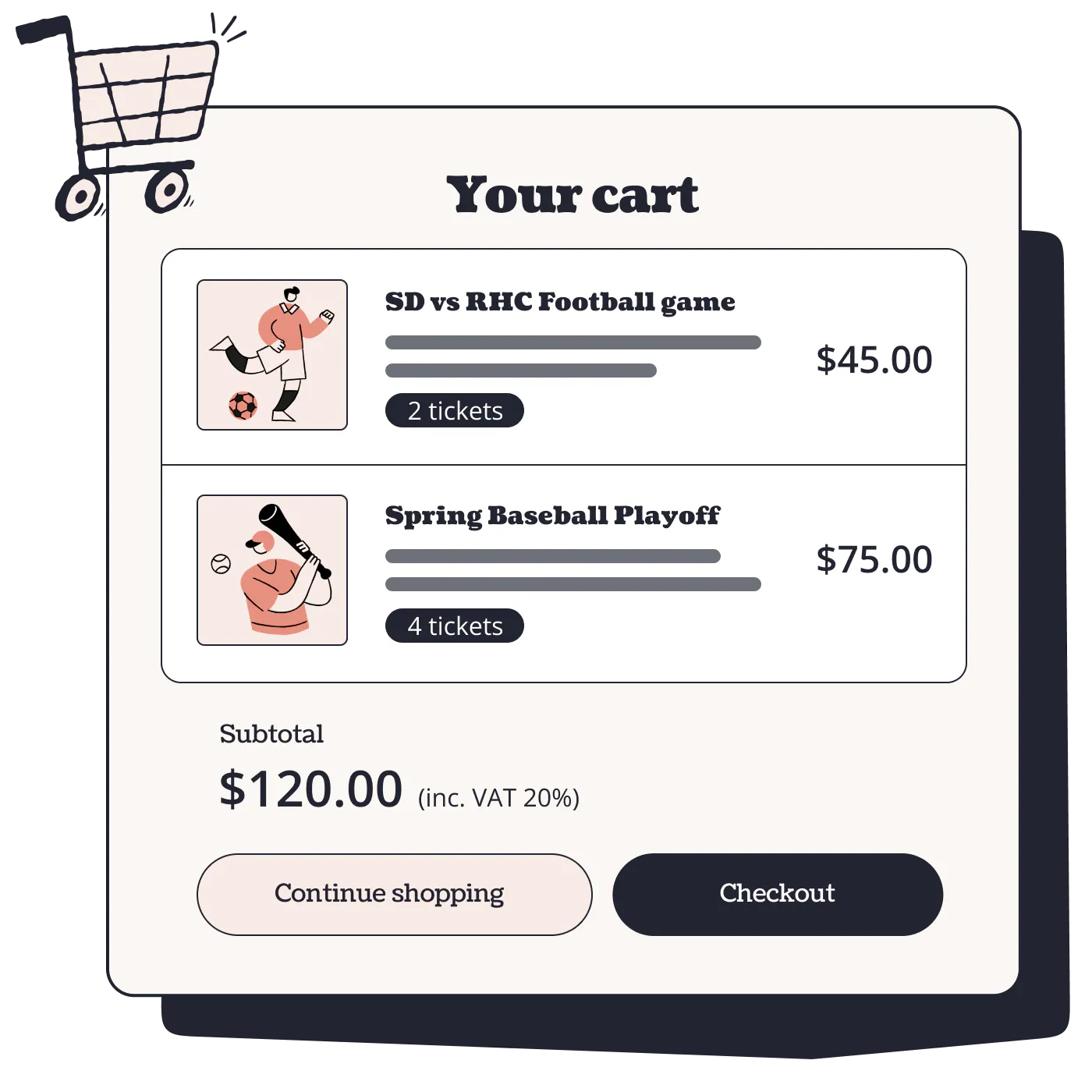
Cart functionality

Customers can add tickets from multiple events before checking out.

money icon

Single payment

Customers can buy tickets for multiple events in one transaction.

Smarter emails

One order confirmation plus separate event emails for each event.

graph icon

Higher conversion

Removes friction when customers want to buy tickets for multiple events, reducing abandoned purchases.
Familiar functionality for your ticket buyers


Designed with familiar e-commerce checkout flows in mind, multi-checkout, along with the rest of our checkout experience is set up to help you sell more tickets.

  • Mobile optimised
  • Fully accessible
  • Modern look and feel
Learn more about checkout

A game changer across industries

Perfect for venues with regular events, studios with weekly (or more!) sessions, or any Event Creator with lots of repeat customers, Multi-checkout streamlines your ticket selling experience. 

Venues

Hosting or promoting a high frequency of events, multi-checkout enables venues to sell multiple events in one go.

Learn More

Workshops & classes

With a high level of repeatability, if you're running a class or workshop you can now offer attendees the ability to checkout multiple classes.

Learn More

Concerts

Your ticket buyers will now be able to add more than one concert to their cart, helping increase your average order values.

Learn More
headshot of man wearing lululemon top
It has been amazing! It allows for my clients to have a smoother process when viewing upcoming events and it has allowed me to process payments and ticket sales at a much quicker rate.

Justin, BackRow Academy

How to get started with multi-checkout

How do I enable multi-checkout

Head to the setting section in your Ticket Tailor dashboard, navigate to multi-checkout and activate the feature

Is multi-checkout free to use?

Yes, this feature is completely free to enable. Ticket Tailor charge a small fee on your ticket sales

Who can use multi-checkout?

First you'll need to sign up and create an account, this is completely free. Within your account you'll need to set up a box office and then an event, or multiple events to make use of the mutli-checkout feature.

How do I create an event on Ticket Tailor?

First you'll need to sign up and create an account, this is completely free. Within your account you'll need to set up a box office and then an event, or multiple events to make use of the mutli-checkout feature.

Is Ticket Tailor free to use?

We charge a small fee, the lowest in the industry, on every ticket you sell. This fee starts at 22p. Otherwise many of of features including multi-checkout are completely free to use.

Back to Top